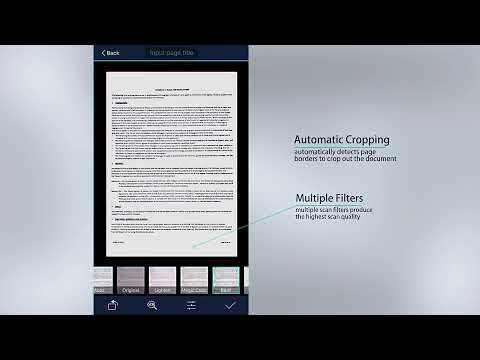
· Working with PDFs is now easier with text editing, page rotation, filters, smart erase, and more.
· Working with PDFs is now easier with text editing, page rotation, filters, smart erase, and more.
· Updated search makes it easier to organize documents directly from search results.
· Sign is upgraded to CS Sign, with support for sending documents for signature.
· New mosaic support for PDFs lets you mask sensitive information.
· Enhanced Word editing: Easily adjust text formatting, and now edit images and stamps.
· Account switching: Quickly switch between multiple accounts.
· Enhanced Word editing: Easily adjust text formatting, and now edit images and stamps.
· Account switching: Quickly switch between multiple accounts.
· Improved the ID Folder, making it easier to find and manage your IDs.
· Various enhancements for a smoother experience.
· Image translation engine upgraded. Layouts now better match the original.
· Various improvements for a better experience.
· Image translation engine upgraded. Layouts now better match the original.
· Various improvements for a better experience.
· Improved Slides mode: scan multiple pages more smoothly, and change filters more easily.
· Markdown documents now support editing.
· Improved features in the tools for easier document handling.
· Smarter AI search that finds what you need faster and more accurately.
· Now supports Markdown for you to view right in the app.
· Improved features in the tools for easier document handling.
· Smarter AI search that finds what you need faster and more accurately.
· Now supports Markdown for you to view right in the app.
· Improved features in the tools for easier document handling.
· Smarter AI search that finds what you need faster and more accurately.
· Now supports Markdown for you to view right in the app.
· Various improvements for smoother document editing.
· We're always working to make scanning and managing documents easier.
· Clearer, more detailed document preview when sharing as a PDF.
· Various improvements for a better experience.
· Clearer, more detailed document preview when sharing as a PDF.
· Various improvements for a better experience.
· Easier to scan missed questions: Select questions across pages, adjust spacing and layout when reorganizing.
· Better slide reading: Immersive mode for focus, landscape for clarity.
· New mosaic tool: Pixelate by brush or auto-mask text in one tap. Privacy made simple.
· Scan to translate improved: Now shows original and translation side by side.
· New Mega Scan: Blueprints, artwork, and more. Continuous seamless AI stitching at any size. (Available on select devices)
· You can now use your camera or scan mode to sign in to your computer.
· Various improvements for a better experience.
· You can now use your camera or scan mode to sign in to your computer.
· Various improvements for a better experience.
· Send documents to your computer with one tap. Open automatically when signed in on your computer.
· Various improvements for a better experience.
· Send documents to your computer with one tap. Open automatically when signed in on your computer.
· Various improvements for a better experience.
· Check out recently added features in tools. Don't miss the good ones.
· We'll keep refining the app to bring you clearer scans and a smoother editing experience.
· Various improvements for a better experience.
· We'll keep refining the app to bring you clearer scans and a smoother editing experience.
· Various improvements for a better experience.
· We'll keep refining the app to bring you clearer scans and a smoother editing experience.
· Various improvements for a better experience.
· We'll keep refining the app to bring you clearer scans and a smoother editing experience.
· Various improvements for a better experience.
· We'll keep refining the app to bring you clearer scans and a smoother editing experience.
· Polishing the little things to keep your workflow seamless.
· Polishing the little things to keep your workflow seamless.
· Polishing the little things to keep your workflow seamless.
· PPT Conversion Upgraded: Take photos and convert to PPT in one tap.
· Improved full-screen preview for an edge-to-edge, distraction-free view.
· Book Mode Optimized: Smoother auto page-turn capture for easier scanning.
· Excel Conversion Improved: Detects and preserves stamps and images so key details aren't missed.
· Polishing the little things to keep your workflow seamless.
· Upgraded Word & Excel conversion with one-tap layout formatting for faster editing.
· A refined experience for smoother, more intuitive document management.
· Performance improvements for clearer scans and more reliable, seamless sync.
· Upgraded Word & Excel conversion with one-tap layout formatting for faster editing.
· A refined experience for smoother, more intuitive document management.
· Performance improvements for clearer scans and more reliable, seamless sync.
· ID scanning now supports more ID types with improved accuracy, making management easier than ever.
· We're always working to bring you clearer scans and a smoother viewing and editing experience.
· Optimized details for a smoother, more reliable user experience.
· Have questions or suggestions? Let us know. Your feedback helps us improve.
· Improved quality for compressed PDFs.
· General improvements for a faster, more reliable workflow.
· Some scanning features now support importing images and documents for added convenience.
· ID scanning improved with more precise templates and higher recognition accuracy.
· You can now merge documents across folders for easier organization.
· Upgraded Word and Excel conversions ensure better accuracy and an improved overall experience.
· Word and Excel conversions are more faithful to your originals, preserving layouts and details with greater precision.
· PDF editing is more intuitive, with a streamlined interface and easier edits.
· Image markups are editable and sync across your devices.
· Scan IDs more effortlessly, with enhanced privacy protection to keep your information secure.
· Documents now auto-rotate after scanning to align text, helping you work more smoothly.
· Higher-quality Word and Excel conversions. You can refine layouts with one tap and use AI-powered editing to create professional documents with ease.
· Other improvements for better stability and experience.
· General improvements for a faster, more reliable workflow.
· Have questions or suggestions? Let us know. Your feedback helps us improve.
· Enhanced Excel conversion for more accurate results and a smoother experience.
· General improvements for a faster, more reliable workflow.
· Optimized details for a smoother, more reliable user experience.
· Have questions or suggestions? Let us know. Your feedback helps us improve.
· Optimized multiple details for a smoother, more reliable user experience.
· Optimized multiple details for a smoother, more reliable user experience.
· Optimized multiple details for a smoother, more reliable user experience.
· Optimized details for a smoother, more reliable user experience.
· Have questions or suggestions? Let us know. Your feedback helps us improve.
· Enhanced search lets you find documents and tools by category more easily.
· Upgraded algorithms deliver scan edits that more faithfully preserve original details.
· Optimized details for a smoother, more reliable user experience.
· Have questions or suggestions? Let us know. Your feedback helps us improve.
· Enhanced ID Card Folder: Clearer card styles and easier management of your IDs.
· Have questions or suggestions? Let us know. Your feedback helps us improve.
· Optimized details for a smoother, more reliable user experience.
· Have questions or suggestions? Let us know. Your feedback helps us improve.
· Enhanced performance for faster, sharper scans
· Refined details for a smoother experience
· Enhanced performance for faster, sharper scans
· Refined details for a smoother experience
· Optimized multiple details for a smoother, more reliable user experience.
· Got feedback or issues? Let us know—your input helps us improve.
· Introducing the Timestamp feature — A watermark camera that automatically adds the real-time date, time, and location to your photos. Perfect for clock-ins, time tracking, and proof of presence.
· A smoother experience, refined just for you—with updates to performance and design.
· Introducing the Timestamp feature — A watermark camera that automatically adds the real-time date, time, and location to your photos. Perfect for clock-ins, time tracking, and proof of presence.
· A smoother experience, refined just for you—with updates to performance and design.
· Upgraded Book Scanning: Our new algorithm intelligently detects single pages and two-page spreads for smarter scans.
· Have questions or suggestions? Let us know. Your feedback helps us improve.
Excel Conversion Just Got Better
· Zoom and Switch: Pinch to zoom and swipe between sheets with ease.
· Edit Your Way: Adjust text size, color, and style — bold, italic, underline, and align as you like.
· Do More: Copy, clear, sum, align, delete rows/columns, and export sheets separately or as one file.
Give it a try
· Localized dates in e-signatures: The dates you add now automatically match your region’s format.
· Enhanced Translate feature: Experience more accurate text recognition, easier comparisons, and a more intuitive interface.
· Other improvements: Enjoy a smoother, faster, and more reliable performance.
· Faster, more efficient image imports.
· Enhanced Magic Pro filter: Clarifies documents and removes distractions in a better way.
· New receipt recognition and automated reimbursement reports for easy finance management.
· Improved performance and stability.
· Have feedback? Contact us anytime. Your feedback helps us serve you better.
· Thanks for using CamScanner. In this version, you can find improved scanning, UI, and stability.
· We appreciate your feedback, please share your thoughts and reviews so we can make the app even better.
Upgraded Book Scanning
· Apply filters, retake individual pages, and extract text with ease
· Enjoy more accurate page cropping
· Experience faster, smoother scanning
Improved performance and stability
· Introducing Solver AI: Your personal AI tutor. Simply scan documents, import files, or chat with Solver AI to get instant answers and learn any subject effortlessly. Learning just got easier.
· Smarter recognition and streamlined processing when scanning incorrect questions, letting you focus more on learning.
· Optimized previews of form and outline when converting documents to Word.
· We're always improving CamScanner. Try the latest version to enjoy new features and an enhanced experience.
- We've optimized technical details to make your documents clearer and management smoother.
- Enjoy clearer, sharper scans with our improved algorithm.
- Stay tuned for more updates!
- New! Extract Formulas. Just snap a photo of math problems and the app will do the rest — extract formulas, crop and arrange problems neatly on one page. Study and work just got way easier.
- Upgraded document lock. Set a unique password for each file for guaranteed confidentiality and secure sharing.
- Upgraded folder lock. Set a password for folders to protect data. Unlock using face or fingerprint for quick and secure access.
- New! Extract Formulas: Just snap a photo of math problems and the app will do the rest — extract formulas, crop and arrange problems neatly on one page. Study and work just got way easier.
- Updates for a better scanning experience: Each update makes your scanning smarter and more professional. We’re always working to make our app easier and better for you.
- Refined details to offer a smarter, more professional experience for scanning and editing documents.
- Refined details to offer a smarter, more professional experience for scanning and editing documents.
- Enhanced multiple details to make document scanning and management more efficient and professional, letting you enjoy an intelligent work and life scanning experience.
- Enhanced multiple details to make document scanning and management more efficient and professional, letting you enjoy an intelligent work and life scanning experience.
- We've made lots of improvements for smoother scanning, smarter document management, and enhanced security.
- Introducing Magic Pro, our new filter. Elevate your documents to HD clarity with a single tap.
- Refining multiple details for a smoother, more reliable user experience.
- Refining multiple details for a smoother, more reliable user experience.
- Refining multiple details for a smoother, more reliable user experience.
- We've made lots of improvements for smoother scanning, smarter document management, and enhanced security
- Optimized multiple details for a smoother, more reliable user experience.
- Translation feature leveled up! Easily replace translated text in images for smooth comparison.
- Introducing CS AI - Chat with your documents for help:
· Write articles
· Analyze finances
· Pinpoint keywords
· Create mind maps
· Summarize
And much more! Boost your learning and productivity today.
- Optimize multiple details for an enhanced user experience.
- We've made several improvements to enhance your experience, making it more enjoyable, relaxed, and reliable.
- Refining multiple details for a smoother, more reliable user experience.
- Resolved small issues for a smoother use experience.
- Focused on stability and enhancements.
- New Word Conversion: Effortlessly save your converted Word files for a more convenient viewing experience.
- Smart Naming: Our AI now identifies document types and content to generate file names automatically. Managing files has been much easier.
Optimize multiple details for an enhanced user experience.
For the best user experience, CamScanner is regularly updated in the App Store. We recommend that you go to Settings > App Store and turn on App Updates to update CamScanner automatically.
Optimize multiple details for an enhanced user experience.
For the best user experience, CamScanner is regularly updated in the App Store. We recommend that you go to Settings > App Store and turn on App Updates to update CamScanner automatically.
- We made improvements so CamScanner is even better for you.
- Several user experience issues optimized to make the app usage smoother and more seamless.
- Several user experience issues optimized to make the app usage smoother and more seamless.
- The Scan to Excel feature now supports batch import. Import multiple images with ease and take your experience to the next level!
- Fix of minor issues and improvement in user experience
- Easily leave feedback on converting files to Word/Excel with our new button. Your thoughts matter!
- Dates are now easier to read with our updated display format.
- Experience faster, smoother app performance with our latest optimization update.
- We've optimized the Dark Mode to provide you with a more comfortable experience.
-Improved auto-cropping for smoother scanning
- Smarter and easier saving to ID Cards folder
- Fix of minor issues and improvement in user experience
- Easier to change where files are stored when importing them from other apps
- Simpler and friendlier file-sharing experience
- Various improvements and performance enhancements
- We keep improving your experience through various performance improvements that you may not necessarily notice.
- Better, faster, clearer. We work behind the curtain, so your CamScanner is even better.
- General app optimizations & stability improvements
- Various improvements and performance enhancements
- Convert to Word files better
- General app optimizations and improvements
- Remove watermark in one tap for free
- Fix of minor issues and improvement in user experience
- Adding signatures made smoother.
- Malay and Filipino languages are now fully supported.
- General app optimizations and stability improvements
- Various improvements and performance enhancements
- Get better recognition results when converting to Word/Excel files
- General app optimizations & stability improvements
- Smoother image editing experience
- Fix of minor issues and improvement in user experience
- Improvements in user experience
Provide a better experience in adding signatures when sharing documents.
Improvements in user experience
Improvements in user experience
Bug fixes
Bug fixes
Bug fixes
Bug fixes
Bug fixes
Bug fixes
Bug fixes
Bug fixes
Bug fixes
Bug fixes
Bug fixes
Bug fixes
Bug fixes
Bug fixes
Bug fixes
Bug fixes
Bug fixes
Bug fixes
Bug fixes
Bug fixes
Bug fixes
1. Share multiple files with just one-click, time saving and worry free
1.You can now rearrange picture orders! Select multiple pictures and drag to sort
2. Crop and set up filters for a group of pictures! Select multiple pictures and click "Batch Edit" to crop or set up filters for the pictures
Bug fixes
Bug fixes
Bug fixes
Bug fixes
Bug fixes
1. Long press the pictures in the document to sort them, and select several pictures at the same time to move them in batches
2. New automatic photo taking function: automatically find the edge of the paper and take a picture, freeing your hands
1. Long press the pictures in the document to sort them, and select several pictures at the same time to move them in batches
2. New automatic photo taking function: automatically find the edge of the paper and take a picture, freeing your hands
1. Long press the pictures in the document to sort them, and select several pictures at the same time to move them in batches
2. New automatic photo taking function: automatically find the edge of the paper and take a picture, freeing your hands
1. Long press the pictures in the document to sort them, and select several pictures at the same time to move them in batches
2. New automatic photo taking function: automatically find the edge of the paper and take a picture, freeing your hands
1. Long press the pictures in the document to sort them, and select several pictures at the same time to move them in batches
2. New automatic photo taking function: automatically find the edge of the paper and take a picture, freeing your hands
Bug fixes
Bug fixes
Support PDF conversion into Word, Excel and PPT
Support PDF conversion into Word, Excel and PPT
Bug fixes
Bug fixes
Bug fixes
Bug fixes
Bug fixes
Bug fixes
1. You can add text, signatures to your scan or smudge it now.
Bug fixes
1.Free your hands! Now you don't need to click the camera button: CamScanner will find the edges of paper and take photos automatically.
2.You can add text directly on the document now. Try to fill a PDF spreadsheet~
Bug fixes
You can update your registered email or phone number now
Bug fixes
1. Support for batch rotation, clipping and filter change of saved pictures: select pictures and click "more" - batch processing pictures ".
2. If you think the picture you take is blurred, you can turn on the "secondary focus" function in the scan Settings
Bug fixes
Bug fixes
1. Share multiple files with just one-click, time saving and worry free
Bug fixes
OCR updated! It becomes easier for proofread as you may now enlarge the image when editing the texts.
Bug fixes
1. Anti-counterfeit watermark can be customized in color and size;
1. Merge pictures into a long one
2. Support batch modification when importing PDF documents
1、You may now send OCR result as Txt. directly to WhatsApp!
2、Open the gallery and drag your finger across the screen to select pictures. Batch import has never been that simple.
1、You may now send OCR result as Txt. directly to WhatsApp!
2、Open the gallery and drag your finger across the screen to select pictures. Batch import has never been that simple.
1、You may now send OCR result as Txt. directly to WhatsApp!
2、Open the gallery and drag your finger across the screen to select pictures. Batch import has never been that simple.
1、You may now send OCR result as Txt. directly to WhatsApp!
2、Paper edge detection is more accurate. Try it through the Book Scan Mode.
3、Open the gallery and drag your finger across the screen to select pictures. Batch import has never been that simple.
1. Improvement of PDF Import:1. Support batch import of PDFs 2. Support import of PDF that contains more than 100 Pages
2. You can drag your finger across screen to select images in the album now
1.Fixed a bug in email registration process
1.Fixed a bug in email registration process
1. New Improvement: You may now be able to use Book Scan mode to scan the book written from left to right.
2. Preview is available now when importing photos from album.
1. New Improvement: You may now be able to use Book Scan mode to scan the book written from left to right.
2. Preview is available now when importing photos from album.
1. Set PDF password for confidential files to ensure security.
2. Add image authentication for your files to ensure security.
1. You can add a colored stamp on your file: You may try it in Mark -> Add signature
2. Book mode is officially online: Scan the left and right pages of an opened book as a whole and auto-split them into two images.
3. You can set whether to crop edges and apply filters before taking pictures in batches
4. “OCR” and “ID card mode” now support importing photos from albums
1.Upgrade of Local-Only folder, you may now set password to lock the folder.
2.You can import images from local album now.
1.Upgrade of Local-Only folder, you may now set password to lock the folder.
2.You can import images from local album now.
1. Optimized synchronization
2. You may now directly copy or call the numbers displayed in OCR result pages.
3. The max number of pages of a PDF to be imported has increased to 100. We now also support imports of encrypted PDF files.
1. Optimized synchronization
2. You may now directly copy or call the numbers displayed in OCR result pages.
3. The max number of pages of a PDF to be imported has increased to 100. We now also support imports of encrypted PDF files.
1.Merry Christmas Campaign
2.Under PPT scan mode: now you can record the Zoom level of your last scan
3.UI & UX Improvements
1. New OCR mode: Take a picture and you can get text recognition immediately.
2. Refer to Earn optimization: you can invite friends to get Premium for free.
Update for Premium Account:
1. Collage: you can modify the size and position of all pictures.
1. New OCR mode: Take a picture and you can get text recognition immediately.
2. Refer to Earn optimization: you can invite friends to get Premium for free.
Update for Premium Account:
1. Collage: you can modify the size and position of all pictures.
1. We've updated OCR to offer more accurate results.
2. New OCR mode: Take a picture and you can get text recognition immediately.
3. The Auto mode has been removed from the filters due to its inaccuracy
4. Refer to Earn: you can invite friends to get Premium for free.
Question Book (Education Purpose): Scan & Save questions for future study, and create your own practice tests.
1. You could import PDF file(s) into CamScanner for management.
2. Quality of Cloud OCR has been enhanced.
We've updated our Terms & Conditions and Privacy Policy in accordance with the newly issued EU General Data Protection Regulation (GDPR) to make it easier for you to understand what happens to your data and what rights you have as a user.
Bug fixes
Bug fixes
Bug fixes
Bug fixes
Greeting Card Module - create your first e-greeting card with your handwriting on. Send to your friends and show them a little creativity.
1. New Business features2. You can create Group folders, to which group members can upload documents and improve work efficiency3. Group folder features contains three permissions: Folder Admin, Upload&Download, and Upload Only. Flexible settings and Data Security Assured.
1. New Business features2. You can create Group folders, to which group members can upload documents and improve work efficiency3. Group folder features contains three permissions: Folder Admin, Upload&Download, and Upload Only. Flexible settings and Data Security Assured.
Bug fixing
Bug fixing
Fixed google drive's upload problem
1. You could import PDF file(s) into CamScanner for management.
2. Quality of Cloud OCR has been enhanced.