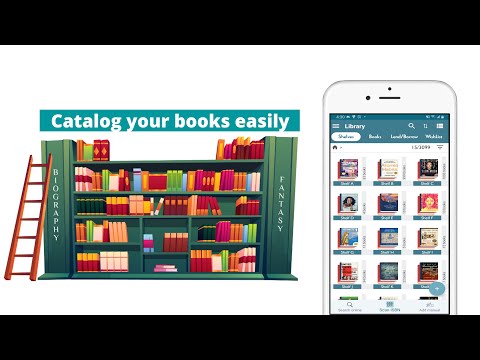
📚 Handy Library: Book Scanner and Library Organizer
Handy Library is a book scanner, library organizer and book catalog app for your home library, class library or comic and manga collection. Add books by scanning the ISBN barcode, snapping the cover, or taking one photo of a whole bookshelf. Then sort, track and lend them, and never buy the same book twice.
Note: Handy Library is a library management app for cataloging the books you own. It is not an ebook reader.
📷 Add Books Fast
- ISBN scanner: point the camera at the barcode and the title, author, cover and details fill in.
- AI bookshelf scan: photograph a shelf and AI reads the book spines to add the books it finds.
- Cover scan: when there is no barcode for the ISBN scanner, snap the front cover.
- Search online by title, author or ISBN, or add old and rare books by hand.
- Book details come from Google Books, Open Library, Goodreads and Amazon.
🛒 Never Buy a Book Twice
- Check your personal library in seconds at a bookstore or book sale.
- See right away when a book you scan is already in your collection.
📂 Organize Your Bookshelf Your Way
- Bookshelf organizer: virtual bookshelves and locations that match your real shelves.
- Sort by author, title, bookshelf and location or finished date, or drag books into your own order.
- Tags, search and filters by author, publisher, year, genre, series, format, language and reading status.
- Simple book management: edit many books at once.
- Add personal notes to any book and share your finds with friends.
📖 Track Reading and Lending
- Book tracker: mark books read or unread in one tap and keep a TBR bookshelf of books to read next.
- Lend books to friends, set a due date and get a reminder.
- Keep a wishlist of the books you want next.
- Statistics show what your book collection is made of.
📦 A Complete Book Inventory
- Keep a full book inventory of your book library, shelf by shelf.
- Your library catalog is stored on your device. Back up and restore with Google Drive.
- Export and import CSV, XLS or ZIP files for insurance, moving or a spreadsheet of every book you own.
💥 Comic and Manga Collection Tracker
- Comic collector? Scan the barcode to catalog comics and graphic novels, then filter by series.
- Manga library: track every volume you own, lend volumes and wishlist the ones you still need.
- The same book scanner catalogs magazines, CDs, DVDs and sheet music.
👥 Who It's For
- Readers who want a library app for a growing home library, to know what they own and where it is.
- Book collectors who track series, formats and every book in their collection.
- Families who want one catalog for the whole house, including the kids' bookshelf.
- Teachers who run a class library and lend books to students.
- Comic and manga collectors who want one organizer for every series and volume.
💰 Pricing
- Free for your first 100 books.
- One purchase unlocks up to 100,000 books for life, tied to your Google account. No subscription.
❓ FAQ
Is Handy Library free?
Yes. Cataloging up to 100 books is free.
Is Premium a subscription?
No. Premium is a one-time purchase. Pay once and keep it for life, with no monthly or yearly fees.
How many books can Premium hold?
Up to 100,000 books, enough for even the largest home library.
What happens to Premium on a new phone?
Premium is tied to the Google account you bought it with.
How do I move my library to a new phone?
Back up to Google Drive on the old phone and restore on the new one. You can also export a ZIP file and import it.
Running a school or community library? Try SkooLib, our library management system for schools, at www.skoolib.net.
Questions? Email support@handylibrary.com.
📣 Follow Us
Facebook: fb.com/handylibraryapp
Instagram: instagram.com/handylibraryapp
Handy Library - Where every book finds its place.
• Sort books by up to 5 criteria, incl. genre, shelf, location, tag
• Give each person on a book a role: editor, translator…
• Export to XLSX (Excel) with progress
• Books without a cover get one with title and author
• Edit cover: crop a photo again
• Tags without a picture get a colour
• Wishlist stays in view when choosing a shelf
Fixes: crashes, empty backups, lost tags and shelves
• Filter by several authors, statuses or formats
• Filter chips above the list; ✕ removes one
• Paste ISBNs again, with dashes, spaces or labels
• Undo a delete from its message
• Move books from the Books tab; small screens show all actions
• Settings: grid covers the same size, or whole
• Restoring a backup keeps your shelves, their order and genres
• Scan the cover of a book you own to view, lend, copy or move it
Fixes: crashes in Loans search, Search book online, after a purchase
Scan a book cover or a whole bookshelf.
• Cover: snap it, pick the edition, done
• Shelf: snap it, check the spines, add all in order
• Books you own are flagged as duplicates
Image search requests are now AI Credits: 50 free, 100 with Premium. Photo scans are free until 31 Oct 2026, then 1 credit a cover, 3 a shelf.
Fixes: genre capitals and volumes of 1000+ are kept
Merry Christmas and Happy New Year 2026! Minor improvements.
Version 2.9.9(256):
- Fixed a bug where scanning a barcode to add or edit a book, and then using the search cover online feature caused a crash.
Version 2.9.8(255):
- Support edge-to-edge display for devices running on Android 11 and later.
Version 2.9.4 (248):
+ Introduced the new Skoolib app – a smart, cloud-based library management system – as an upgrade to the Handy Library app, suitable for home, school, and public libraries.
+ Fixed a bug where the "Added Date" field was automatically updated to today for books added a long time ago.
Version 2.9.1 (243):
- Updated database version,
- Increased contrast of system navigation bar icon,
- Bug fixes:
+ Hot fix a crash when opening app on devices running Android 9 and below.
+ Fixed an issue where opening an invalid book link caused the app to crash.
+ Fixed an issue where importing an old zip file caused the app to crash.
Version 2.9.0 (240):
- Introducing the Skoolib App: A cloud-based version of the Handy Library app, now available for pre-registration worldwide.
- Bug Fixes:
+ Fixed problem related to exporting and importing CSV files.
+ Resolved an issue where the app could not open a book link, displaying the error message: “Can’t open book URL.”
+ Minor bug fixes
Version 2.8.7 (236):
Introduces the Skoolib app — a cloud version of the Handy Library app for pre-registration.
Wishing you a wonderful Christmas and Happy New Year 2024! New update 2.8.0.5 with a decorated user interface and minor bug fixes.
Version 2.8.0.3:
- Remind users to back up when updating a lot of data.
- Fixed an issue where adding a new book from the search function did not allow for saving tags.
Version 2.8.0:
- New tag feature added,
- Wishlist moved to the sidebar,
- Ability to edit tags and locations of multiple books,
- Filter books by their location,
- Export and import functionality for tags and reading dates columns,
- Updated API Key for the Search Cover Online feature,
- Bug fixes and performance improvements.
Wishing you a Happy New Year 2023.
Wishing you a Happy New Year 2023.
Version 2.6.5.1 - 2.6.5.2:
- Improve the taking cover photo feature,
- Bug fixes
Version 2.6.5:
- Sorting feature improvements,
- Searching books in a library by genre, just type: "gen:keyword",
- Allow adding more authors of a book,
- Moving the cover photos folder to the app-specific storage for devices running on Android 11 and later.